Text alert sign-up
Bill Book is the online tool the staff of the Country Market and Polly's Country Market stores use to track schedules, invoices, credits, daily sales and credit requests. Bill Book users can sign up to get Bill Book alerts by text message. Text alerts are optional; nobody needs them to use Bill Book.
The sign-up form is on each user's Account settings page, which they reach after signing in to Bill Book. Because that page needs a Bill Book account, the screenshots below show exactly what a user sees. This page is for reference only; it is not a sign-up form itself.
How users sign up
- Sign in to Bill Book at baileysisk.com and open Account settings (from their name at the bottom of the menu).
- Open the Notifications tab and, under Text alerts, enter their own mobile number.
- Choose which alerts they want to receive.
- Tick the box agreeing to receive Bill Book alert texts. It is not ticked in advance.
- Tick the separate box agreeing to the Terms and Conditions and Privacy Policy. It is not ticked in advance either.
- Click Sign up for text alerts. Bill Book records when they agreed and sends one text confirming the sign-up.
The sign-up form
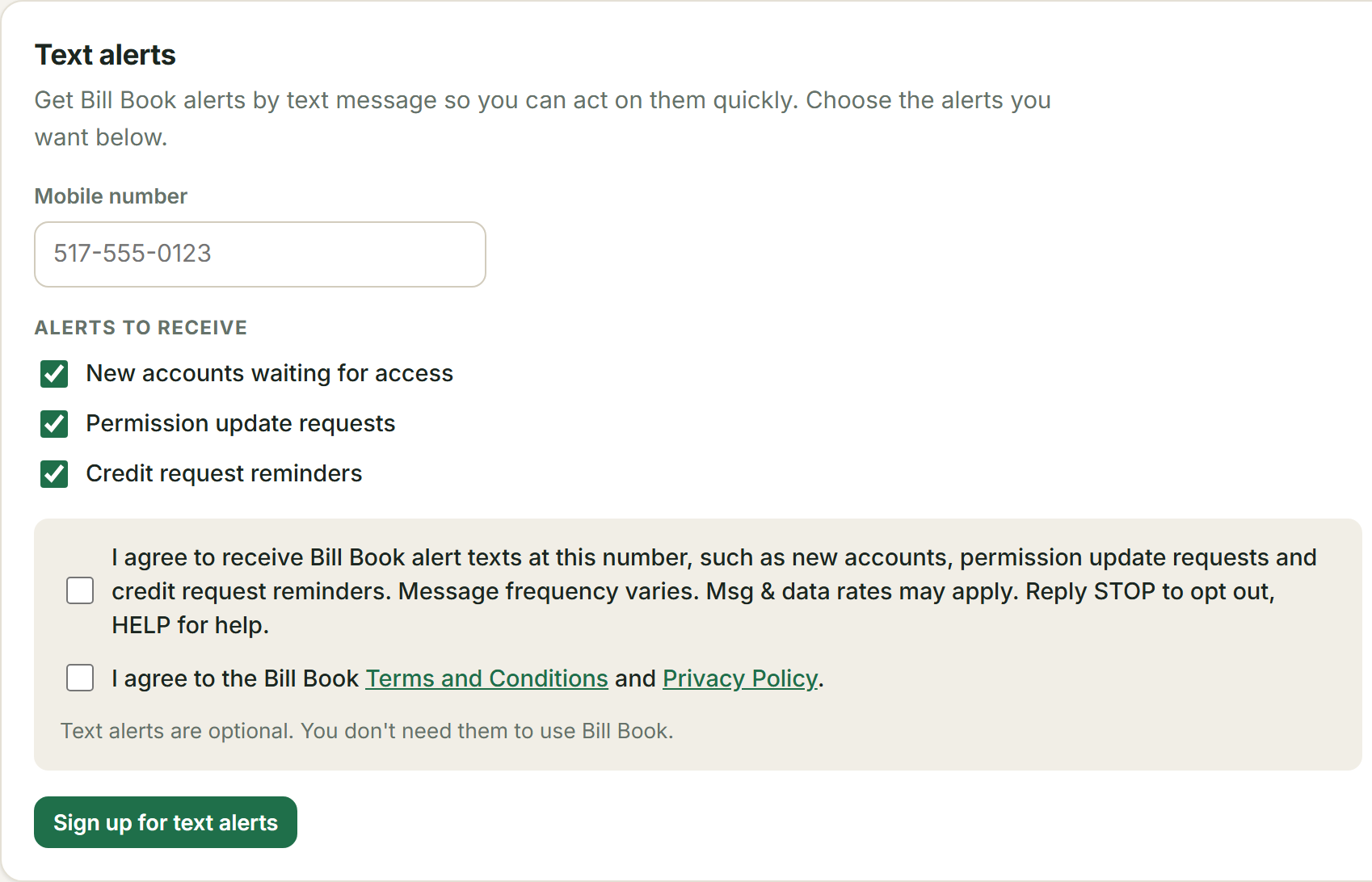
The wording next to the boxes:
☐ I agree to receive Bill Book alert texts at this number, such as new accounts, permission update requests and credit request reminders. Message frequency varies. Msg & data rates may apply. Reply STOP to opt out, HELP for help.
☐ I agree to the Bill Book Terms and Conditions and Privacy Policy.
Text alerts are optional. You don't need them to use Bill Book.
After signing up
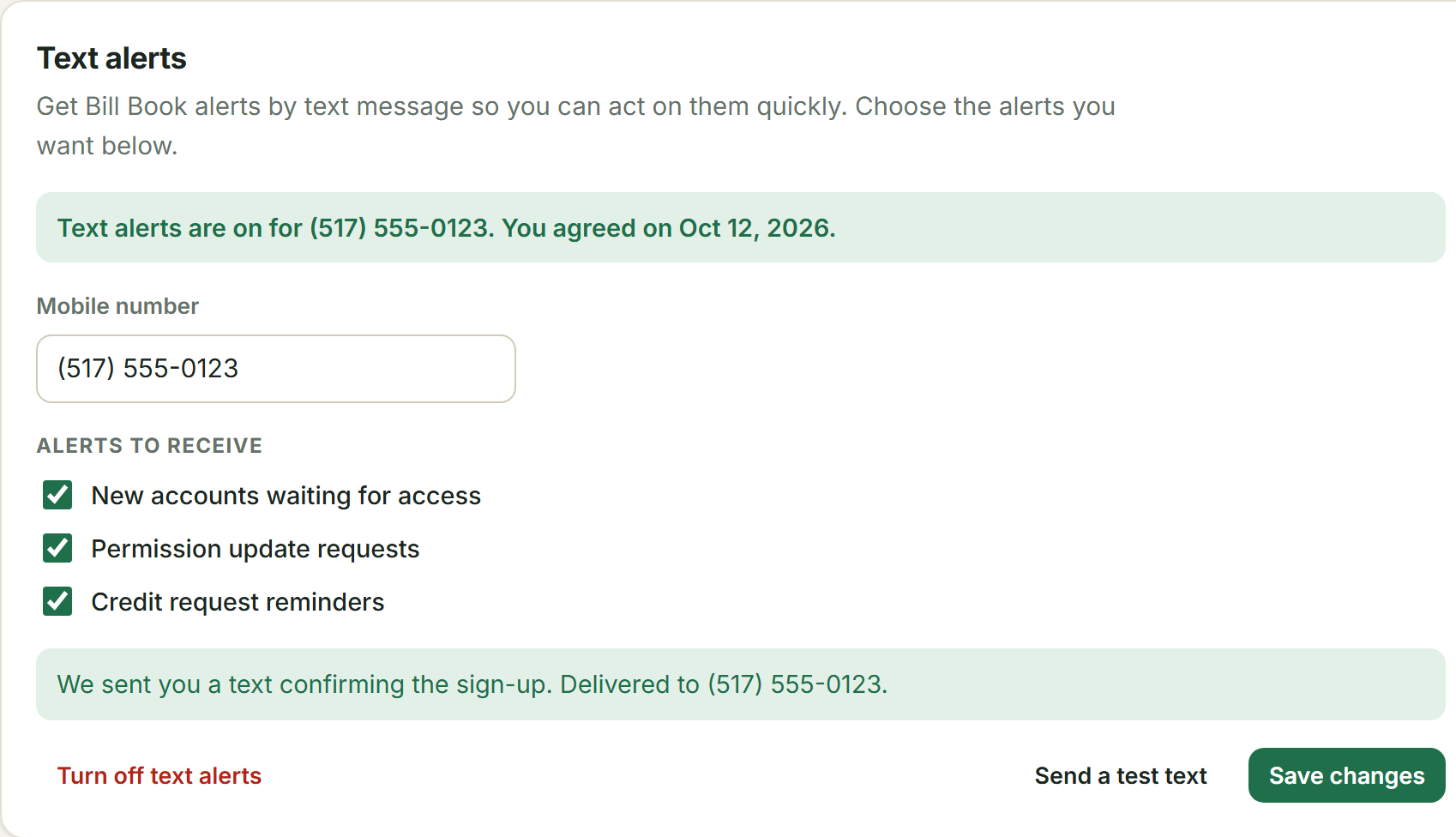
The confirmation text they receive:
Bill Book: You're signed up for Bill Book alert texts, such as new account, permission request and credit request alerts. Msg frequency varies. Msg & data rates may apply. Reply HELP for help, STOP to opt out.
The texts
- New accounts waiting for access (administrators): who signed up, with a link to the Users page.
- Permission update requests (administrators): who is asking for which store, department and title, with a link to review it.
- Credit request reminders: a credit request still waiting to be submitted, by product number, vendor and cases, with a link to the Credit Requests page. Sent at most once a day.
- Answers to your time off requests: when a time off request you added is approved or denied, who it's for, the days, who decided it and any note, with a link to the Time Off page. One text per decision.
These are informational alerts about Bill Book only, never marketing. Message frequency varies. Message and data rates may apply. Reply STOP to opt out, START to opt back in, and HELP for help. For help you can also email billbook@baileysisk.com.
No mobile information will be shared with third parties or affiliates for marketing or promotional purposes. See the Privacy Policy and the Terms and Conditions for the full text message terms.